Android · Markdown · Local-first

Notes on your device.
Thoughts in Markdown.

Write fast with no account or server, connect ideas with tags, and keep everything as standard .md files.

Now v2.33.0 · Free · Apache-2.0

Markleaf — #1 Kotlin repository of the day on Trendshift
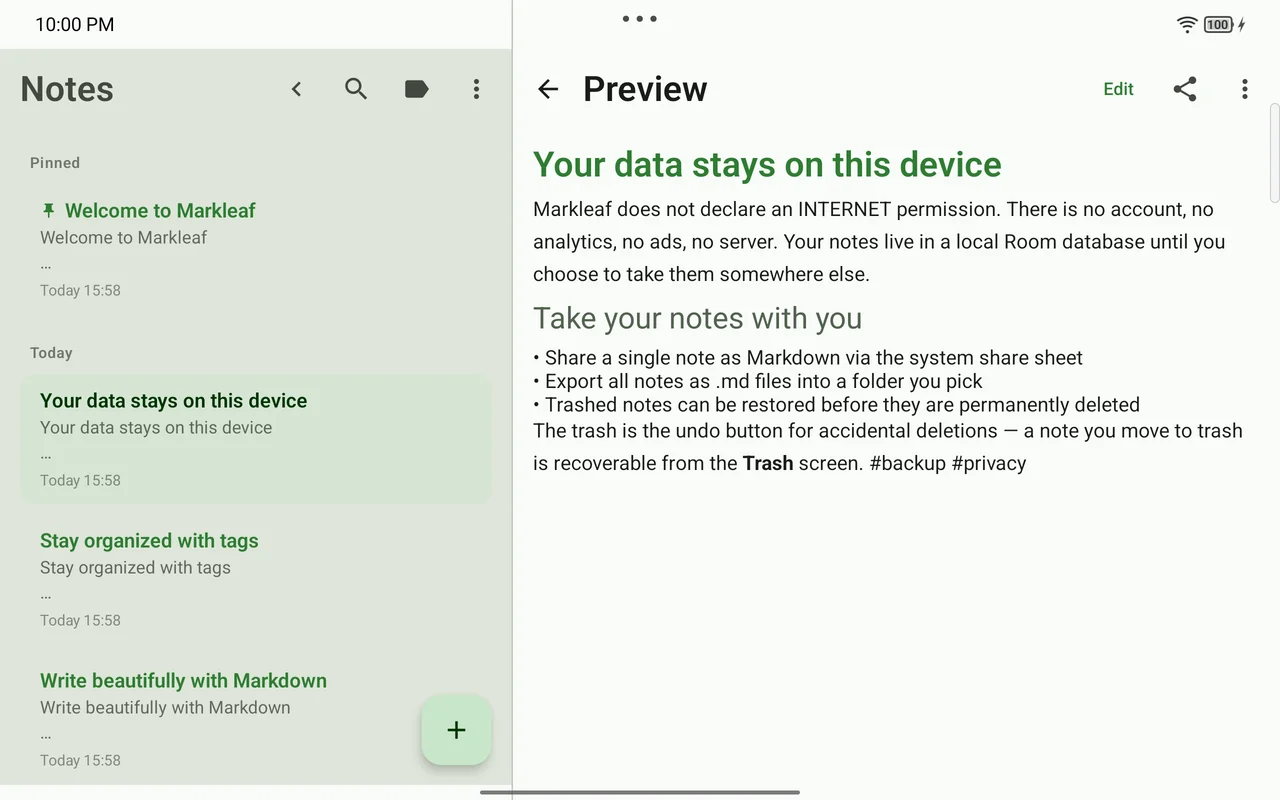
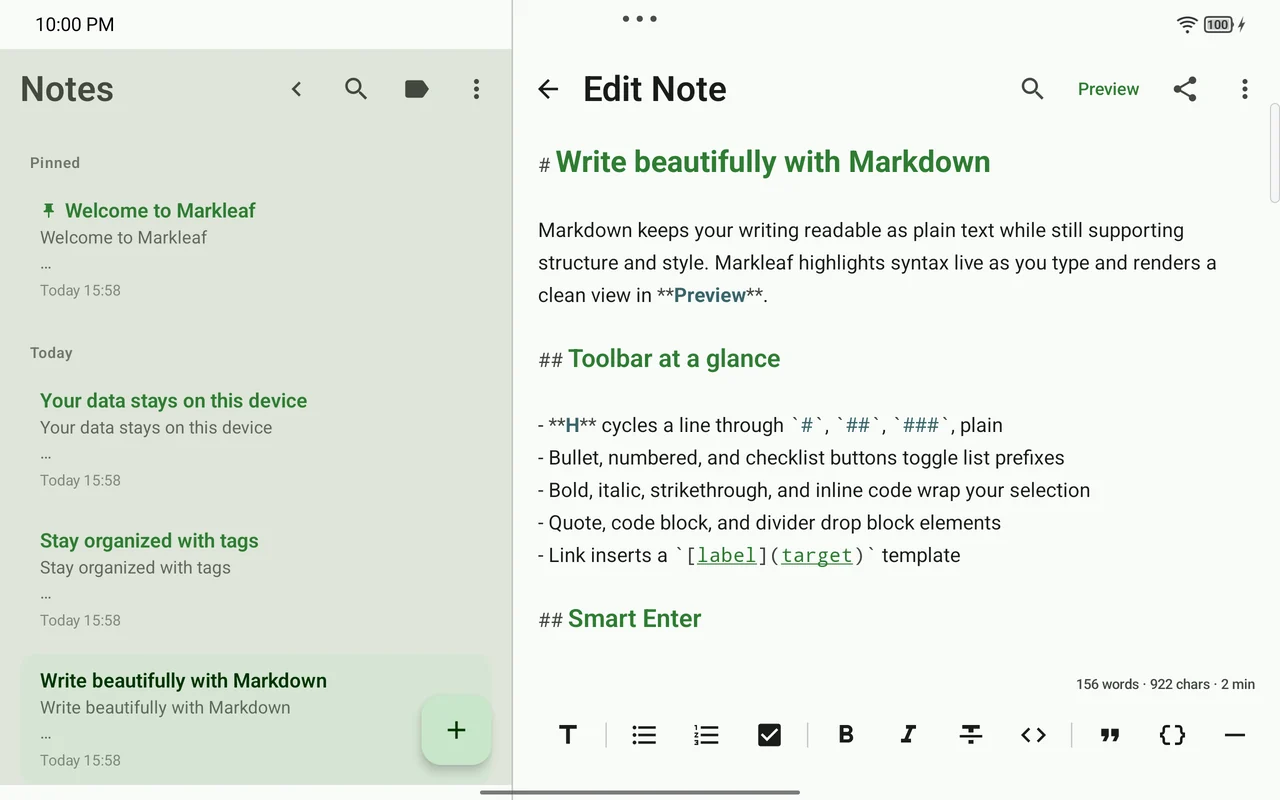
Actual Markleaf screen showing the note list and Markdown editor side by side
LOCAL FILE my-note.md plain text · portable
Actual Markleaf v2.23.0 screen

Current release

v2.33.0 Released 2026-08-23

Network permissions

0 No account, analytics, ads, or tracking

File ownership

.md Export and folder mirror

A real writing flow

The tools step back,
and the writing keeps flowing.

Open, write, organize, find, and export — all flowing naturally on a single device.

01 · Write

Syntax comes alive, and tools appear only when needed.

Your Markdown source stays intact while headings and emphasis render legibly as you edit. A small Aa button, selection-context actions, and the / command at the start of a line add formatting without cluttering the screen.

  • Live Markdown with CommonMark/GFM preview
  • 13 formatting actions and hardware-keyboard shortcuts
  • Quick Insert for tables, callouts, and wikilinks
Tag rail, note list and editor on one tablet screen.

02 · Organize & find

Tag, link, and search before you ever worry about folders.

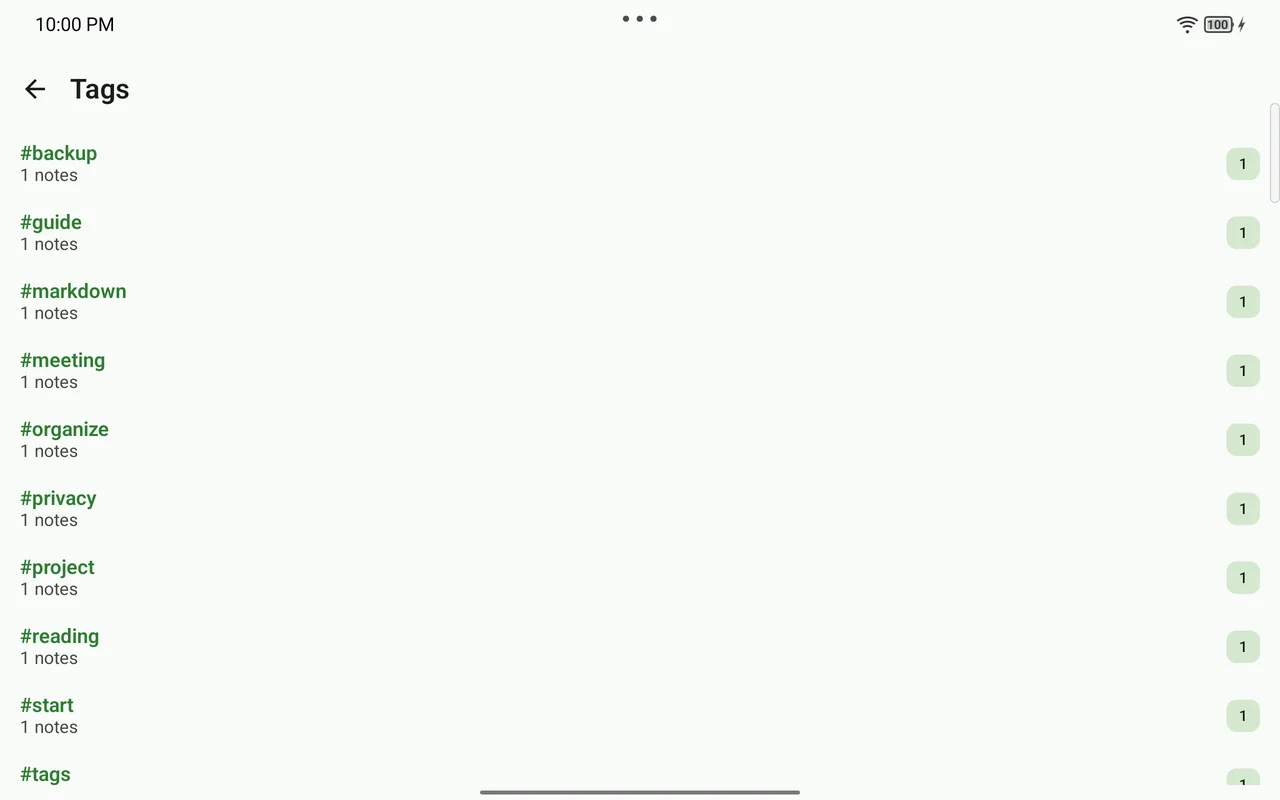
A #tag in the body becomes your classification, and SQLite FTS search plus the Quick Switcher move you to the next thought fast, even across many notes.

  • Nested tags and per-tag note browsing
  • Wikilinks and backlinks
  • Pin, archive, and trash recovery
Markleaf tag screen showing multiple tags and the note count for each
The structure of your thinking starts from tags in the body.

03 · Own & move

Leave files that stay readable outside the app.

Export all notes as standard Markdown, or mirror them to a SAF folder you choose. Even when you need to share a PDF, the original .md stays intact.

  • Single and all-note Markdown export
  • Mirror to a folder you choose
  • PDF and the Android share sheet
Markleaf export
notes/
├─ project-plan.md
├─ reading-log.md
└─ meeting-notes.md

# Project plan

- [x] Draft outline
- [ ] Next steps

#project #writing
UTF-8 · Plain Markdown · Opens in other tools

04 · Bring your own folder

Point it at the Markdown folder you already keep.

Markleaf has no vault format of its own. Files that Obsidian, Logseq, or a text editor already wrote are adopted as notes, and the frontmatter they carry comes back out untouched.

  • Existing .md files adopted, not duplicated
  • Frontmatter keys from other tools survive the round-trip
  • One folder, not a folder tree — Markleaf sorts by tags
What to know before pointing it at a real vault
Your folder
your-folder/
├─ Reading log.md
└─ Project plan.md

---
tags: [reading]
aliases: [log]
markleaf_id: 7f3c…
---

# Reading log
Your keys stay · Markleaf adds one

Privacy by architecture

Not sending anything
is the clearest protection.

Markleaf itself declares no internet permission. Notes, tags, attachments, and settings stay in app-private storage until you choose to move them yourself.

android.permission.INTERNET = false Read the full privacy policy
  1. 1 Stored on device

    Room DB and app-private attachment storage

  2. 2 You choose explicitly

    Export · Share · SAF folder

  3. 3 Moves along your path

    No Markleaf server or backend

Actual Markleaf screen showing a note explaining that data stays on the device
The app itself clearly explains how data moves.

Install

We recommend the most
transparent path first.

Markleaf is a free, open-source app. Get the latest version from F-Droid or GitHub Releases.